


Why performance is UX, retention, and money
In 2026, the performance of mobile applications ceased to be purely a technical parameter. Users perceive speed as part of product quality: if the application takes a long time to open, "freezes" the interface, or quickly drains the battery, it is considered bad—regardless of functionality and design.
Performance directly affects:
- user retention;
- conversion to target actions;
- ratings and reviews in stores;
- long-term product value.
Therefore, performance optimization is not a one-time task before release, but a continuous process integrated into the mobile application's lifecycle.
In this article, we will discuss:
- where performance is most often lost;
- which aspects need to be optimized first;
- how to approach performance systematically.

What is performance in mobile applications
Performance is not just the speed of the application. It consists of several factors that the user experiences simultaneously.
Key components:
- application launch time;
- interface responsiveness;
- smoothness of animations;
- data loading speed;
- memory and battery consumption;
- stability during prolonged use.
Even if one of these components is "lagging", the overall perception of the application deteriorates.
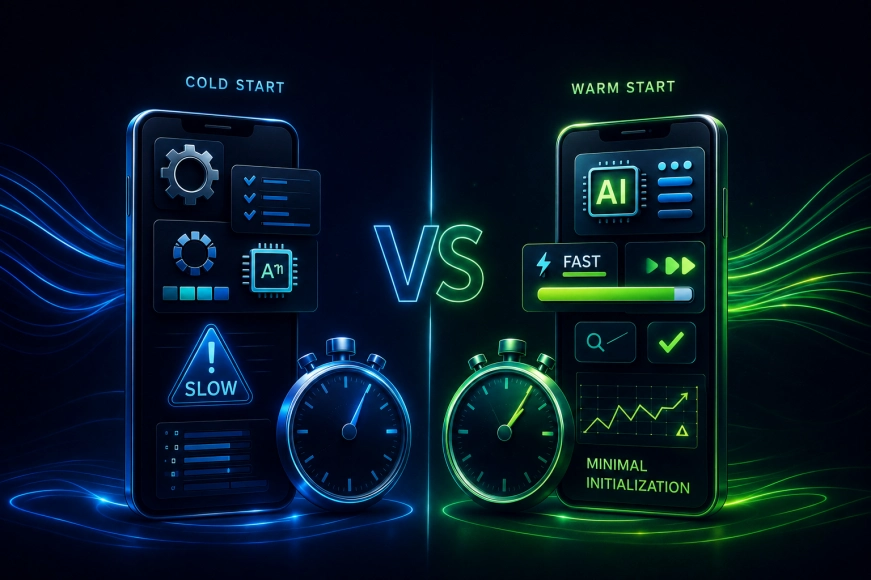
Launch time: the first impression that cannot be fixed
Launching the application is the user's first contact with the product.
Problems at this stage:
- long cold start;
- heavy initialization;
- loading unnecessary data;
- complex logic before the first screen.
Best optimization practices:
- minimizing logic at startup;
- deferred initialization of secondary modules;
- showing the interface before full data loading;
- asynchronous operations.
The goal — to show the user the interface as early as possible, even if the data is loaded later.
Responsiveness of the interface and working with the main thread
For the user, what matters is not how many milliseconds an operation takes, but whether the interface is blocked.
Typical causes of “freezes”:
- heavy computations in the UI thread;
- complex animations;
- synchronous network requests;
- rendering large lists.
Working approaches:
- moving logic to background threads;
- optimizing list rendering;
- reduction of redraws;
- careful handling of interface states.
The interface should always remain responsive — even if data is still loading.
Working with data and network requests
The speed of a mobile application largely depends on how and when data is loaded.
Common mistakes:
- loading excessive data;
- lack of caching;
- repeated requests;
- lack of offline logic.
Effective solutions:
- data caching on the device;
- loading data as needed;
- request aggregation;
- working with local storage.
The less the application depends on the network, the more stable it operates in real conditions.

Animations and visual performance
Animations enhance UX, but if implemented incorrectly, they quickly become a source of problems.
Main risks:
- FPS drop;
- interface stutters;
- increased power consumption;
- feeling of a "heavy" application.
Optimization principles:
- animations only where they make sense;
- using native platform capabilities;
- minimizing complex transitions;
- testing on low-end devices.
The smoothness of the interface is often more important than visual "effectiveness".
Table 1. The Impact of Performance on UX
|
Parameter |
Impact on User |
|
Launch Time |
First Impression |
|
FPS |
User Comfort |
|
UI Delays |
Irritation |
|
Battery Consumption |
App Abandonment |
|
Stability |
Trust |
Memory and Battery Consumption
The user may not see how much memory the app consumes, but they feel the consequences:
- the device heats up;
- the battery is draining faster;
- the application is unloaded from memory.
Optimization includes:
- memory leak control;
- resource release;
- working with the application lifecycle;
- limiting background processes.
In 2026, applications that "eat battery" quickly receive negative ratings.

Application Performance and Architecture
Performance is laid down not at the optimization stage, but at the architecture stage.
Key architectural principles:
- separation of responsibilities;
- modularity;
- minimization of coupling;
- clear data flows.
Our team in mobile projects always considers performance as an architectural task, not a set of point fixes.
Table 2. Approaches to Optimization
|
Approach |
Result |
|
Point fixes |
Short-term effect |
|
Architectural solutions |
Long-term stability |
|
Monitoring |
Degradation control |
|
Iterative Improvements |
Sustainable Growth |
Monitoring and Measurements
Optimization is impossible without data.
Important:
- measure real metrics;
- track degradations;
- analyze user behavior;
- test changes.
Performance — is something that needs to be measured constantly, not checked once every six months.
Common Mistakes in Performance Optimization
- Optimization without measurements
- Focusing only on one aspect (e.g., UI)
- Ignoring weak devices
- Lack of monitoring after release
- Trying to "speed everything up at once"
Conclusions
Performance optimization of mobile applications in 2026 is:
- systematic work, not a one-time task;
- balance of UX, architecture, and technology;
- constant measurements and improvements.
Mobile products that win are those that:
- consider performance from the very beginning;
- embed it in the architecture;
- regularly analyze real data;
- perceive speed as part of the product's value.